
We talk about the weather a lot. Sometimes we just need something to talk about. Sometimes we really do want to know if it will rain.
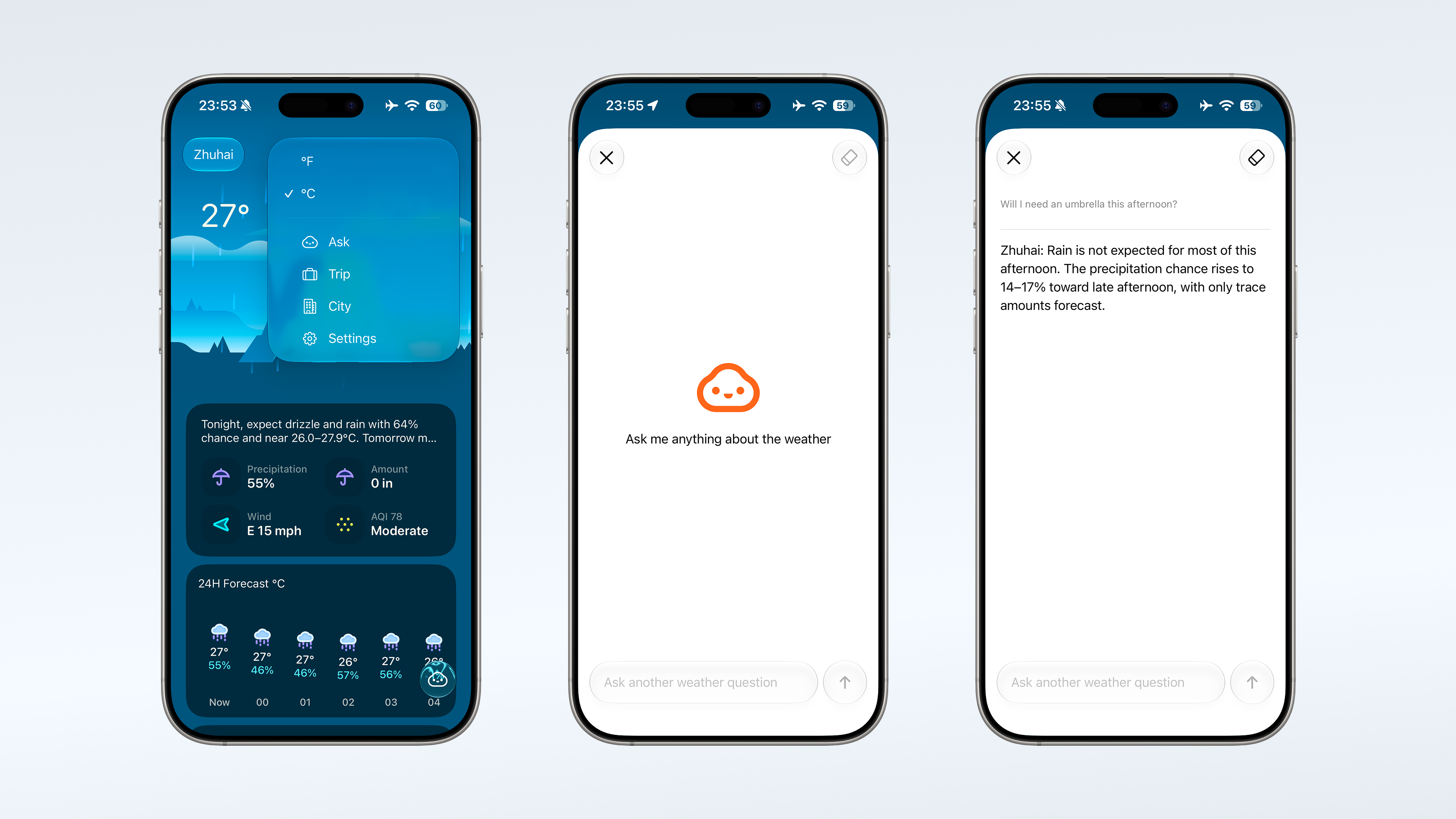
With Weather mini 3.8, Ask Weather comes to iPhone. You can ask a question in your own words, whether you are heading out for the afternoon or checking the weather for an upcoming trip.
What would you like to know?
“Will I need an umbrella this afternoon?”
A small question like this is a good place to start. Open Ask Weather and type what you want to know. It can look up the forecast and help you make sense of it.
You might be wondering how cold it will get tonight, or whether the weather will change before you head home. You probably already have a question in mind. Now there is a place to ask it.
Ask Weather can use the city you are viewing, your saved cities, and upcoming trips as context. That gives you a starting point without having to explain everything from scratch. If you have been planning a trip in the app, you can ask about the weather for that trip too.
The forecast cards are still there for a quick look. Ask Weather is useful when you have something more specific in mind.
A new button this time
Our last update was about small improvements you might never notice. This one does have a new button.
On iPhone, you can open Ask Weather from the main screen. There is also a circular widget for your Lock Screen and an App Shortcut to open it through Shortcuts.
If you use Trip Forecasts often, you can enable a shortcut for that on the main screen too. Both shortcuts can be adjusted in Settings.
Try a few questions
You can try Ask Weather with a small free allowance before deciding whether to subscribe. Weather mini Plus lets you continue using it after those questions are used up. Ask Weather is available in supported regions.
Start with something you were going to check anyway. An umbrella question counts.
A little more room for the weather
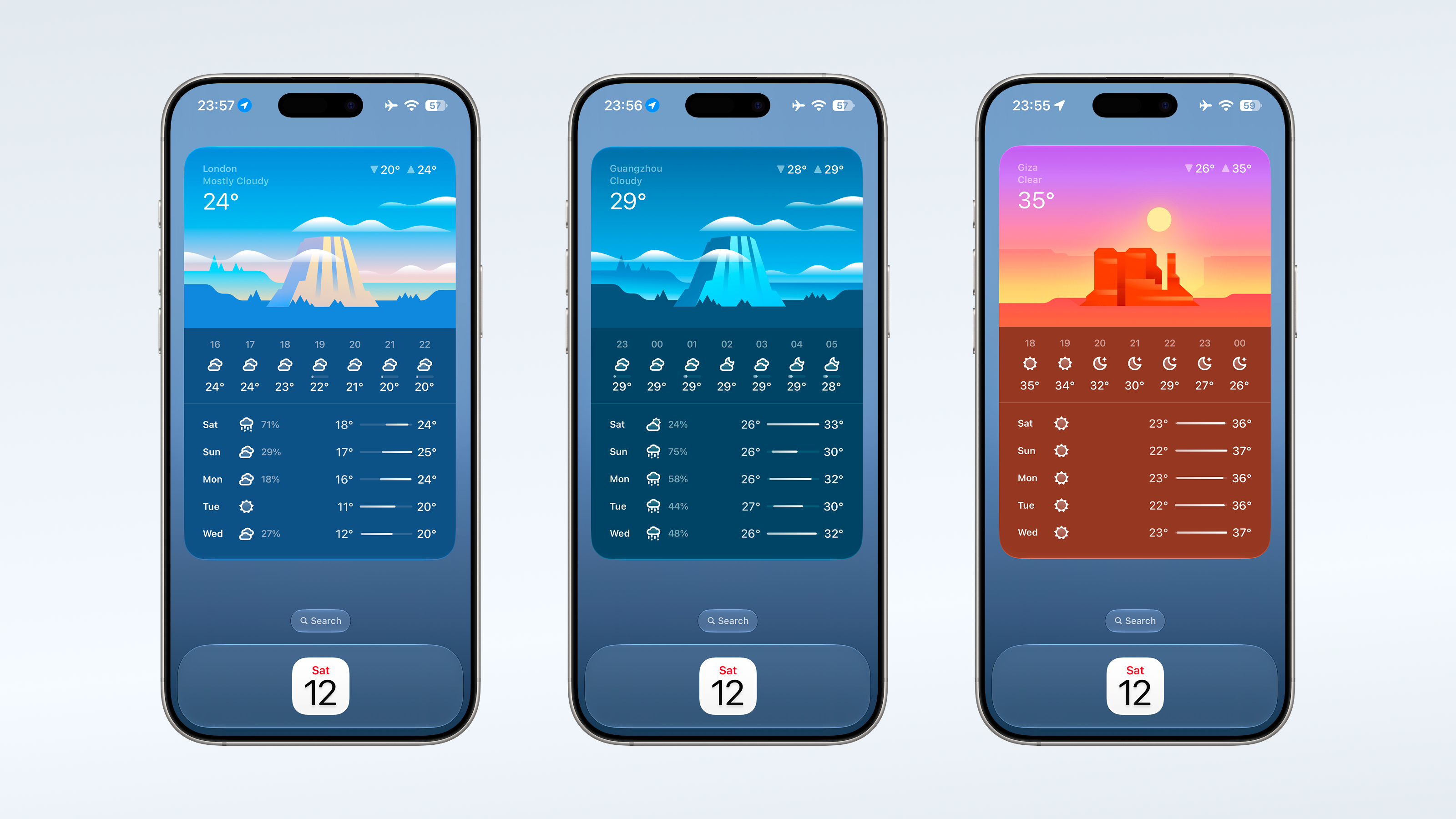
We have also been getting ready for the 27 system updates. There is a newly designed Extra Large Portrait widget, with more room for a weather overview in a tall layout.
Sometimes you want to ask a question. Sometimes you just want a bigger picture of the forecast. This one is for the second kind of day.
A few new faces
The little Weather bot also has a few new homes on your Home Screen. This update adds alternate app icons in several colors, which you can choose in Settings.
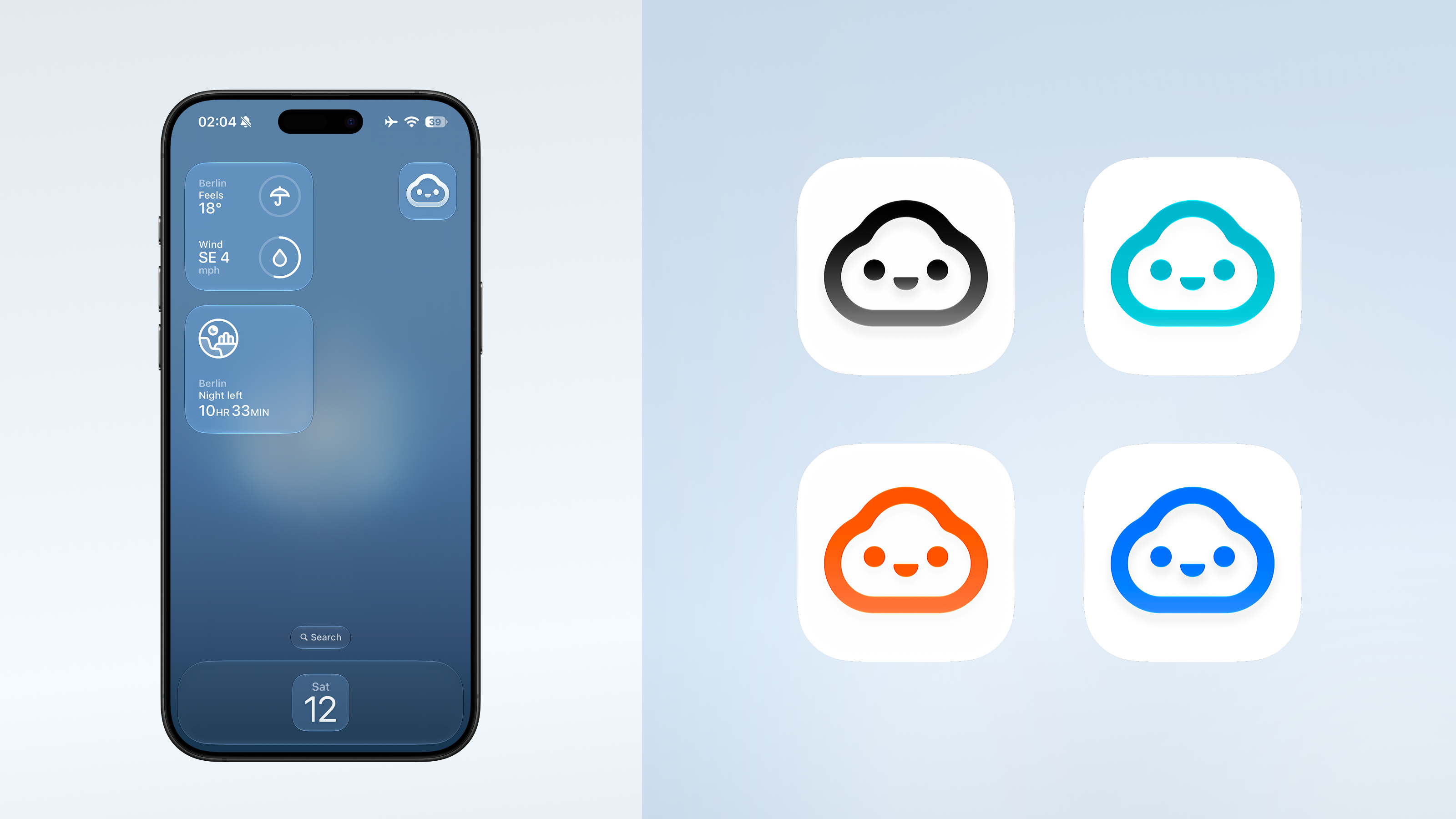
We have been spending quite a bit of time with this little face while working on Ask Weather. Now you can put it on your Home Screen too.